How to Use Wifi Smart Switch for Home Automation?
Home automation is on the rise, making life easier and smarter. One of the key components in this trend is the Wifi Smart Switch. This device allows you to control lights and appliances from anywhere with an internet connection. Imagine turning off your kitchen lights while lying in bed. The Wifi Smart Switch makes this possible.
Setting up a Wifi Smart Switch isn't always straightforward. You may encounter connectivity issues or compatibility concerns. Sometimes, the app can be confusing. It’s necessary to study the manual to avoid frustrating moments. Many users overlook these details, only to find their setup complicated later.
Yet, the benefits of using a Wifi Smart Switch are significant. You can save energy and enhance security by controlling devices remotely. However, remember that technology isn't perfect. There may be times when your connection fails, or devices don’t respond as expected. Being prepared for these challenges is crucial for a smoother home automation experience.
Understanding Wifi Smart Switches and Their Benefits
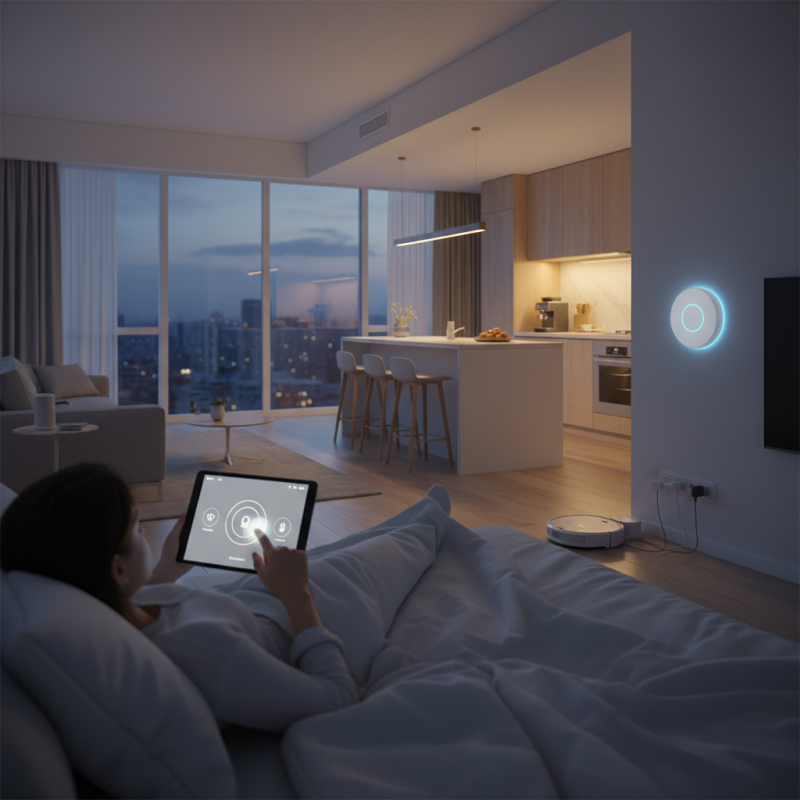
Wifi smart switches are revolutionizing home automation. They allow users to control lighting and appliances remotely. These devices connect to your home wifi network, making them accessible via smartphone apps. Imagine dimming your lights or turning on the coffee maker while still in bed. It’s convenient and efficient.
The benefits extend beyond mere convenience. Energy savings is a key factor. By scheduling your devices, you can reduce electricity usage during peak hours. A downside is that initial setup may challenge some users. Not everyone finds it easy to synchronize the switches with their network. Patience is essential while troubleshooting connectivity issues.
Moreover, security concerns arise with smart devices. Hackers can target poorly secured networks. It’s wise to invest time in securing your home network. Regularly updating device firmware is vital to protect against vulnerabilities. Embracing wifi smart switches means embracing a learning curve. But the potential benefits can greatly enhance your living experience.
How to Use Wifi Smart Switch for Home Automation? - Understanding Wifi Smart Switches and Their Benefits
| Feature | Description | Benefits |
| Remote Control | Control lights and appliances from anywhere using a smartphone app. | Convenience and energy savings by managing devices remotely. |
| Voice Control | Integrates with voice assistants like Alexa and Google Assistant. | Hands-free operation and enhanced accessibility. |
| Timers and Schedules | Set schedules to automatically turn devices on or off. | Increased efficiency and security by mimicking presence. |
| Energy Monitoring | Track energy consumption of connected devices. | Identifies energy-wasting devices and helps save on bills. |
| User-Friendly Interface | Intuitive app design for easy setup and management. | Simplifies installation and everyday use. |
Choosing the Right Wifi Smart Switch for Your Home
When choosing a Wi-Fi smart switch for your home, consider compatibility. Not all smart switches work with every home system. Look for switches that integrate with your existing appliances and smart home ecosystem. This ensures seamless automation and control. Checking compatibility can save you time and frustration later.
Another factor is the interface. Some switches offer user-friendly apps, while others can be complicated. A switch should have clear instructions and a simple setup process. A good interface makes it easier to manage your devices. If you find a switch challenging to use, it defeats the purpose of automation.
Think about features, too. Some switches offer scheduling or remote access. Others have energy monitoring capabilities. Pick features that align with your needs. Remember, the best choice may not always be the most advanced option. Sometimes, basic functions work better for your lifestyle. Reflect on what you truly need before making a decision.
Step-by-Step Installation of Wifi Smart Switches
Installing a Wi-Fi smart switch can be a game changer for home automation. Start by turning off the power at the circuit breaker. This step is crucial for safety. Next, remove your existing switch. Carefully disconnect the wires. Make sure to note where each wire connects. It can be confusing later.
Once the old switch is out, take your smart switch and connect the wires according to the instructions. Usually, you’ll have a live wire, a neutral wire, and a ground wire. Tighten the connections to avoid issues. After this, push the switch back into the wall carefully. Reattach the faceplate, ensuring everything looks neat. Remember to double-check the wiring.
Restore power and follow the setup instructions provided with the smart switch. You may need a smartphone app for this. Sometimes, the connection fails, and you must troubleshoot. Patience is key. If it doesn't work the first time, check the connections again. Don't hesitate to ask for help if you're unsure about any steps.
Configuring Your Wifi Smart Switch with Home Automation Systems
Configuring your Wifi smart switch with home automation systems can enhance your overall living experience. Start by ensuring your switch is compatible with your home network. Check the specifications before purchase. A reliable setup will save you time and frustration.
Connect the smart switch to your Wi-Fi network using the manufacturer's app. This process can sometimes be tricky. Make sure your phone is connected to the same network. If the setup fails, check your Wi-Fi signal strength. A weak signal could disrupt the connection.
Tips: Place your switch in a central location. This makes it easier to control from multiple rooms. Consider grouping devices in your app. This simplifies command execution, especially with multiple switches. Create routines to automate tasks such as turning off lights when you leave home.
As you configure your smart switch, expect some challenges. Not all devices will communicate seamlessly. Adjust your settings as needed. Experiment with different configurations to find what works best for you. Over time, this trial and error will lead to a more efficient system.
Troubleshooting Common Issues with Wifi Smart Switches
When using Wi-Fi smart switches, users may encounter some common issues. One frequent problem is connectivity. Sometimes, the switch fails to connect to the home network. This might be due to a weak Wi-Fi signal. Check the distance between the switch and the router. Moving the router closer can help improve the connection.
Another issue is the failed app integration. Some users report that their smart switch doesn’t work with the app. Ensure the app is updated. Restarting the switch may also resolve this problem. In some cases, resetting the switch to factory settings can help. Remember, troubleshooting might require patience.
Occasionally, users face compatibility problems with existing devices. Not all smart switches work with every setup. Review the setup requirements beforehand. If unsure, contacting customer support can provide clarity. These issues remind us that smart devices require careful setup and maintenance. Always keep an eye out for updates and changes in the home network.
